

Crossfade
Crossfade: Claude Code, Codex and Cursor in your Figma file
Recommended for
- Solo / Indie
- Idea-Stage
- Pre-Seed
SSIE
Stage Fit Recommendations
Following data shows why Crossfade is recommended for listed teams. The Fit Score represents the percentage fit of Crossfade to each company stages, as calculated by the SSIE.
Stage
Fit Score
Fit Reasons
Solo / Indie
$0–$2,000 MRR
78- Connect a coding agent to an open Figma file
- Work with real editable layers locally
Idea-Stage
$0
78- Set up the plugin in about five minutes
- Connect Claude Code Codex and Cursor
Pre-Seed
$0–$10k MRR
79- Understand local font handling in Figma
- Troubleshoot Codex read-only Figma access
Description
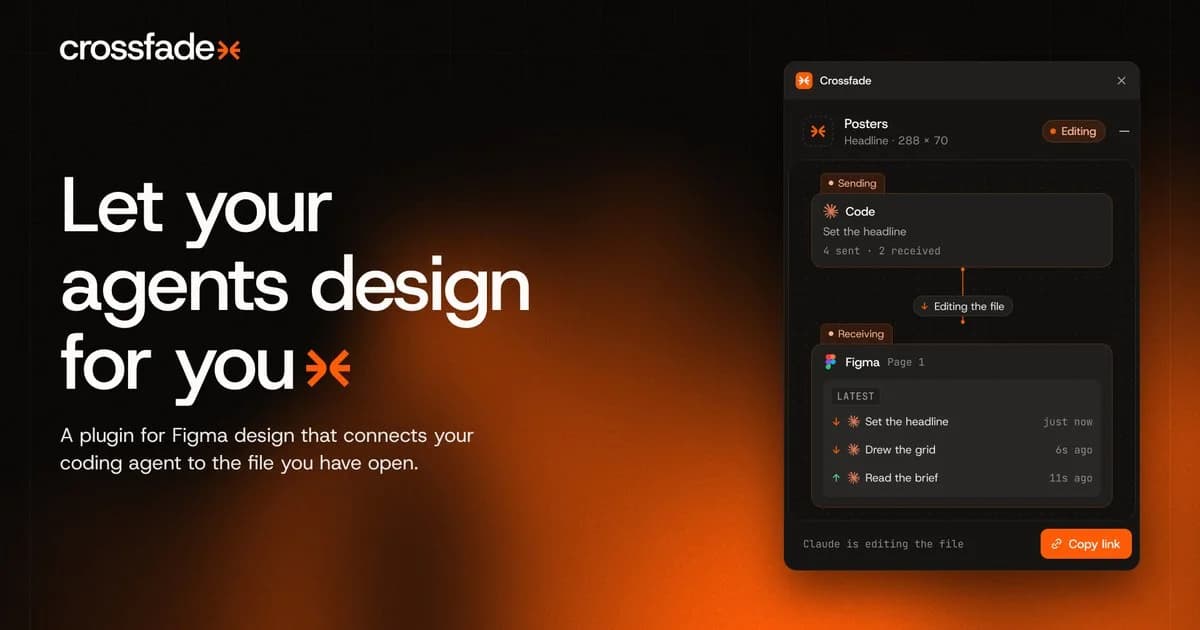
Crossfade is a plugin for Figma design that connects your coding agent, such as Claude Code, to the file you have open. It works with the agents you already use, including Claude Code, Codex, and Cursor. The plugin reads what you have selected, builds with real layers, checks its own screenshot, and leaves you a file you can keep working in. Crossfade carries every command into your Figma file with no MCP limits to run into. It operates on your own machine, measured at 0 Figma API calls during normal operation. Performance measurements recorded 1.5 ms to read a selection and 15 ms to inspect a section of layers, with 7 tools available to your agent. These measurements were taken on a Mac with Figma desktop on 5 November 2026, using medians of 50 selection reads and 20 inspections two levels deep.

FAQs
Crossfade connects a coding agent to the Figma file you have open, allowing the agent to work with real editable layers on your machine instead of relying only on a hosted MCP connection.
Crossfade's guides cover Claude Code, Codex and Cursor. The setup page describes connecting Claude Code or another coding agent to the Figma plugin.
Crossfade's setup guide describes a roughly five-minute connection process and walks users through the plugin setup with the real Figma plugin available to try.
The product describes its workflow as running on your own machine and connecting to the Figma file you have open. Its homepage positions this as a local alternative without MCP call limits.
Paste your product url
Live within 24 hours.
Free. No credit card.
Reviewed by a human. SSIE Fit Scoring.
Explore similar products

Efecto
A design tool where AI agents are first-class citizens, offering artboards, layers, auto-layout, and 66 MCP tools built

The Color Sheet
A free colour palette browser for designers featuring 40,676 palettes, CSS gradients, and a colour memory game.

OpenLLM
API keys, local models and subscriptions in every agent

Coolors.co
Generate and explore color palettes for design projects with accessibility checks and real-time visualization.

CodeFronts
A free library of CSS components, generators, and frontend tools for developers and designers.

Shoot.Design
A curated gallery of app screenshots and icons for product and visual design inspiration.

delphitools
A collection of browser-based tools for digital creators requiring no logins or data collection.

Beyond UI
Premium Figma UI Kit and Design System for modern web products

WebInspoo
Browse 1,200+ curated SaaS websites and filter by category, font, color palette, tech stack, and page type.

typedump
A curated index of open-source typefaces for designers, vibe coders, and developers.
Explore similar products
Efecto
A design tool where AI agents are first-class citizens, offering artboards, layers, auto-layout, and 66 MCP tools built
The Color Sheet
A free colour palette browser for designers featuring 40,676 palettes, CSS gradients, and a colour memory game.
OpenLLM
API keys, local models and subscriptions in every agent
Coolors.co
Generate and explore color palettes for design projects with accessibility checks and real-time visualization.
CodeFronts
A free library of CSS components, generators, and frontend tools for developers and designers.
Shoot.Design
A curated gallery of app screenshots and icons for product and visual design inspiration.
delphitools
A collection of browser-based tools for digital creators requiring no logins or data collection.
Beyond UI
Premium Figma UI Kit and Design System for modern web products
WebInspoo
Browse 1,200+ curated SaaS websites and filter by category, font, color palette, tech stack, and page type.