

Cap
Open source screen recorder for Mac, Windows, and Linux with instant and studio recording modes, editing tools, and
Recommended for
- Solo / Indie
- Idea-Stage
- Pre-Seed
- Seed
- Series A
- Scaleup
SSIE
Stage Fit Recommendations
Following data shows why Cap is recommended for listed teams. The Fit Score represents the percentage fit of Cap to each company stages, as calculated by the SSIE.
Stage
Fit Score
Fit Reasons
Solo / Indie
$0–$2,000 MRR
87- CCPA / CPRA - baseline compliance certification
- Offers SOC 2 Type II, ISO 27001, and HIPAA compliance
Idea-Stage
$0
89- SCIM provisioning on the Signed BAA plan
- Data export and portability
- Free plan available (Free), no purchase required to start
- Self-serve signup from $2.42/mo, no sales call required
Pre-Seed
$0–$10k MRR
94- SSO / SAML on the Cap Pro plan
- Records screen, camera, and mic tracks in 4K
- Generates auto titles, summaries, and chapters
Seed
$10k–$100k MRR
94- Provides local recording and editing
- Offers instant shareable links
Series A
$100k–$500k MRR
90- Published uptime SLA and incident response commitments
- Data residency and regional hosting controls
- Third-party penetration testing
- Supports custom domain and S3/Google Drive storage
- Includes viewer analytics and engagement tracking
Scaleup
$500k–$2M+ MRR
86- Supports team workspaces and collaboration
- Open-source codebase, independently reviewable
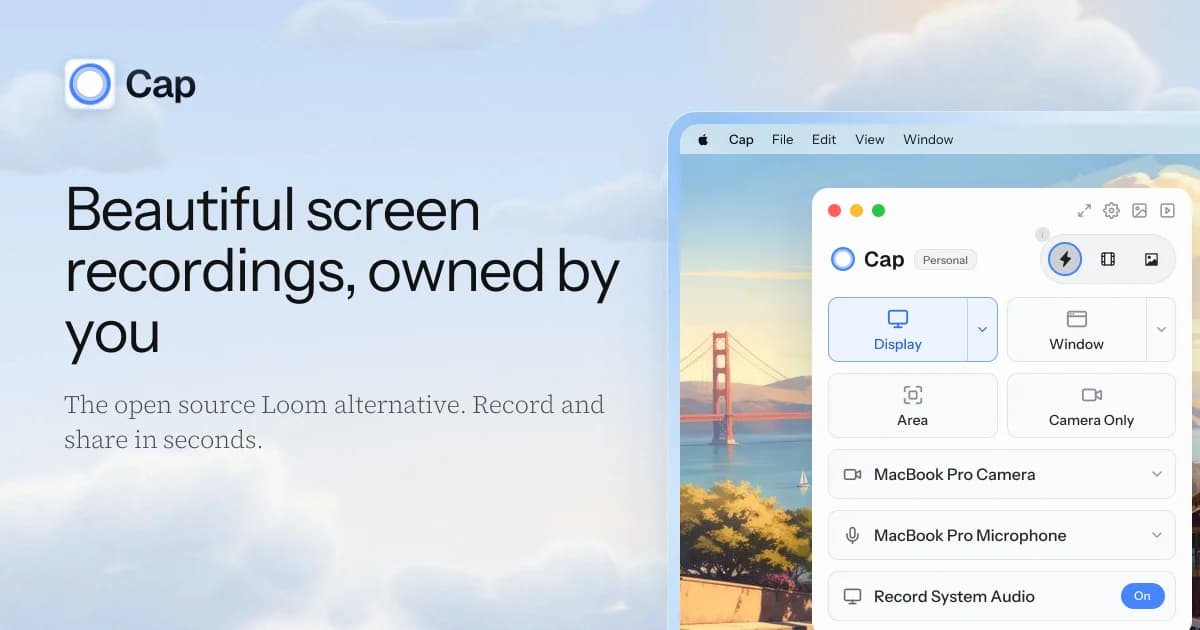
Description
Cap is a free, open source screen recorder available for Mac, Windows, and Linux. It offers instant mode for quick recordings that upload as you go and generate a shareable link the moment you stop recording. Studio mode provides full quality recordings with advanced editing before you share. Users can migrate their existing Loom library into Cap with a built-in import tool. The app supports screenshots, local recording, and can be self-hosted on your own infrastructure. Cap operates on a freemium model where the free tier covers core recording and editing, with Cap Pro available for teams and organizations that need more features.

Pricing
Paste your product url
Live within 24 hours.
Free. No credit card.
Reviewed by a human. SSIE Fit Scoring.
Explore similar products

Gifox for Mac
Gifox for Mac is a simple GIF maker app to create high-quality animated GIFs from screen and videos.

ScreenBuddy
Polished screen recordings for Windows. Also on Mac.

Riverside
AI-powered platform for recording, editing, repurposing, and distributing studio-quality podcasts and videos

Clueso
Clueso turns rough screen recordings into polished videos and guides with AI automation

Motion.software
Modern screen recorder for Windows

Dina
Dina records your screen and refines it automatically for presentation-ready videos on macOS.

Remove Text From Video
Remove burned-in captions, subtitles and text logos from video with AI.

goshortsai
Free AI image-to-video generator with daily credits for animating still photos.

CaptureFlow
Open-source screen recorder for you and your AI agents with instant share links.

Kino
Kino is an AI video editor for teams and agents
Explore similar products
Gifox for Mac
Gifox for Mac is a simple GIF maker app to create high-quality animated GIFs from screen and videos.
ScreenBuddy
Polished screen recordings for Windows. Also on Mac.
Riverside
AI-powered platform for recording, editing, repurposing, and distributing studio-quality podcasts and videos
Clueso
Clueso turns rough screen recordings into polished videos and guides with AI automation
Motion.software
Modern screen recorder for Windows
Dina
Dina records your screen and refines it automatically for presentation-ready videos on macOS.
Remove Text From Video
Remove burned-in captions, subtitles and text logos from video with AI.
goshortsai
Free AI image-to-video generator with daily credits for animating still photos.
CaptureFlow
Open-source screen recorder for you and your AI agents with instant share links.